Motion Design
Level of expression
Our brand design enables the visual tone to adapt to different communication contexts. From factual and formative to expressive and inspiring, it supports a wide range of creative execution.
Learn more about our flexible design fields in the Fundamentals section.
Simply choose the level of expression that bests suits your message.
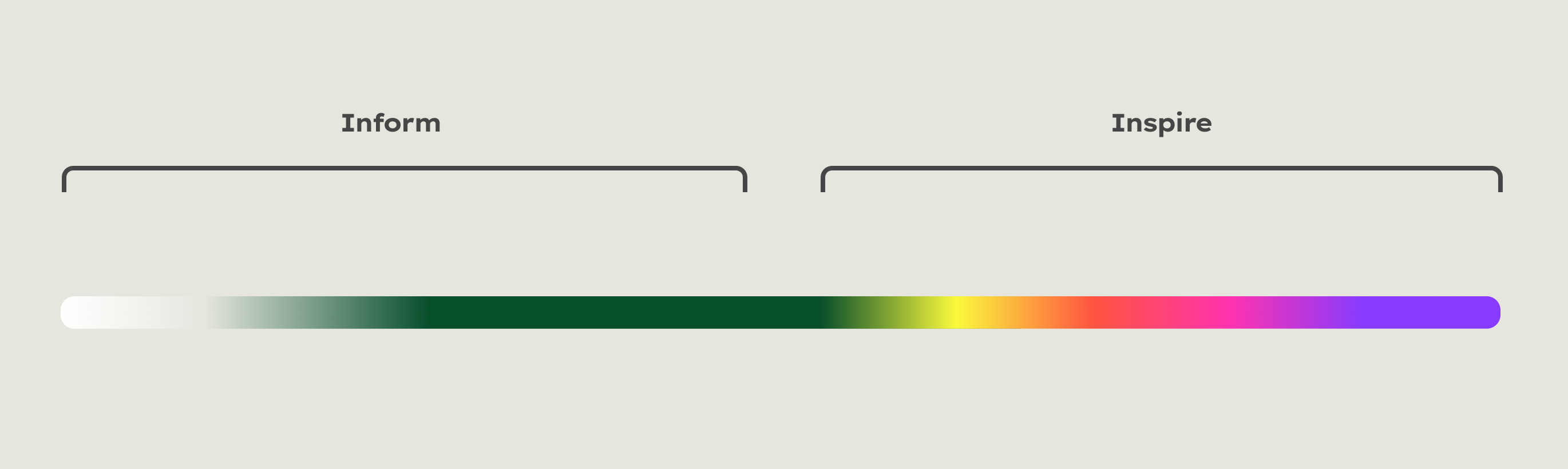

Videos – Level of expression
CTA – Level of expression
For orientation purposes, please select a design field to start from, and adapt the level of expression to meet your exact communication context.
Basic principles
Our brand attributes “Fundamental”, “Approachable” and “Aspirational” define the behaviour of our brand elements in moving images:
- We are straightforward and clear. We are not fussy, nor do we apply unnecessary special effects.
- We make our content easy to understand. We are focused and leave out the unessential.
- We provide continuity in flow and movement, creating recognition and trust.
- Our animations are dynamic and energetic. We establish rhythm and structure. We are not random or chaotic.
Animation principle for the design field "Inform"
Shape and text move on horizontal axes. They may enter the screen from the left or from the right. Entering the screen always occurs from the side, not from the top or bottom. When exiting the screen, the shape moves back to the side it came from.
Animation principle for the design field "Inspire"
Shape and text move on horizontal axes. They may enter the screen from the left or from the right. Entering the screen always occurs from the side, not from the top or bottom. When exiting the screen, the shapes does not move back, but continues to move on its axis.
Easing
To make our animations feel natural, we use a technique called “Easing”. This affects the speed and manner in which objects move. In the physical world, objects do not move at a constant linear speed, nor do they start and stop instantly. Rather, there is always a phase of acceleration and deceleration, without which an animation appears mechanical, harsh and unnatural.
The easing defined for our applications has a phase of acceleration and deceleration of equal length, making the motion feel dynamic and at the same time smooth and balanced.
CSS: Cubic Bezier (0.66, 0.00, 0.34, 1.00)
After Effects: Outgoing: 66%, Incoming: 66%
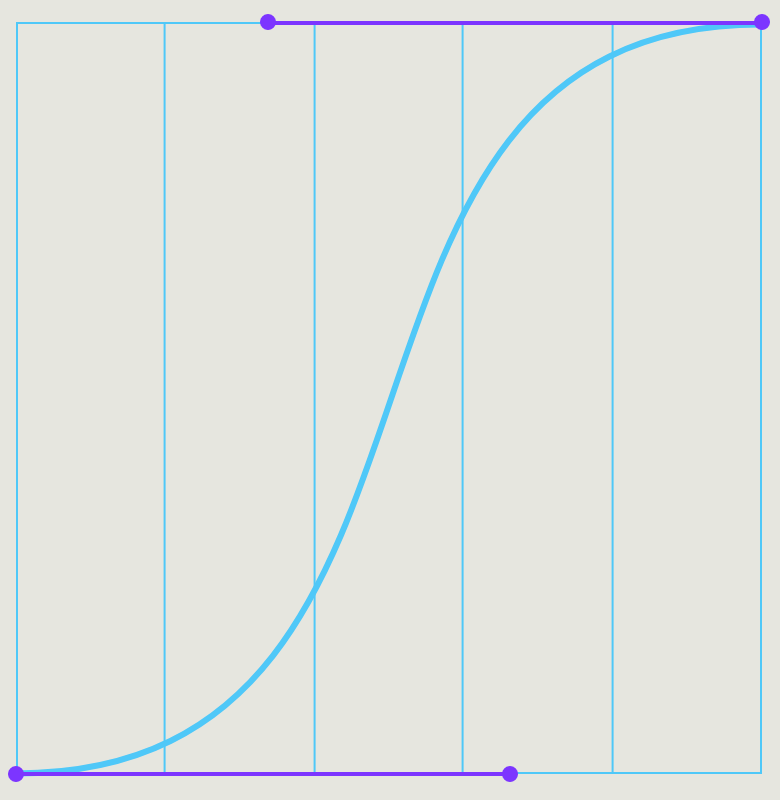

Text animation
Texts are animated line by line. For different amounts of text, different font sizes are defined for each format. The font colour is always white. Text may be left-aligned or centred. Templates are available for all formats.
Overview text sizes, colours and positions
Overview text sizes, colours and positions
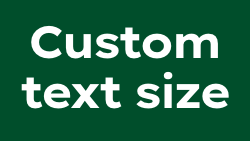

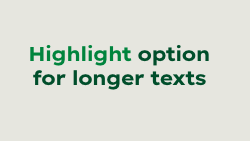

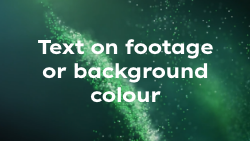

The main text colour on footage or dark backgrounds is white. Deep Green has to be used for white, Sandy Grey or light-coloured backgrounds. For better legibility, a soft, almost invisible shadow can be added (colour: black; opacity: 20 %; softness: 50). If you want to highlight text, use Brigth Green on a Deep Green background and Mid Green on a white or Sand Grey background.
Offset and delay
Offset and delay
Text lines have a slight offset in timing and position. This creates a dynamic, lively impression and makes the text easier to read.
Footage style
As described in the imagery chapter, the visual language in the Motion section also consists of real photography and CGI elements. When selecting footage and stock material, it is important to ensure that the specified parameters are adhered to. The chapter imagery can be used to brief motion agencies.
Image / footage style


CGI contet


CTA
The information on image style and visual content applies equally to motion pictures. You can find it in the Imagery section.
Formats and grids
To meet the growing demand for moving images across various touchpoints, we need to ensure maximum flexibility and consistency in the conception and realisation of our films. To this end, we have studied the varying requirements of each media platform and established basic design parameters for our audiovisual communication that can accommodate all common formats and channels.
Grid, action and title-safe zone
Grids in the video field allow for precise placement of visual elements, promote consistency, enhance compatibility with different screens, and increase efficiency in editing. They are a valuable tool for creating professional and engaging videos. As different screens may vary in size and resolution, there is a risk that important information may be cropped or not fully visible at the edges of the video. The action-safe zone and the title-safe zone are designed to ensure that important visual elements in a video are clearly visible on all screens and are not cropped or difficult to read.
Grid, action and title-safe zone (16:9/9:16/1:1)
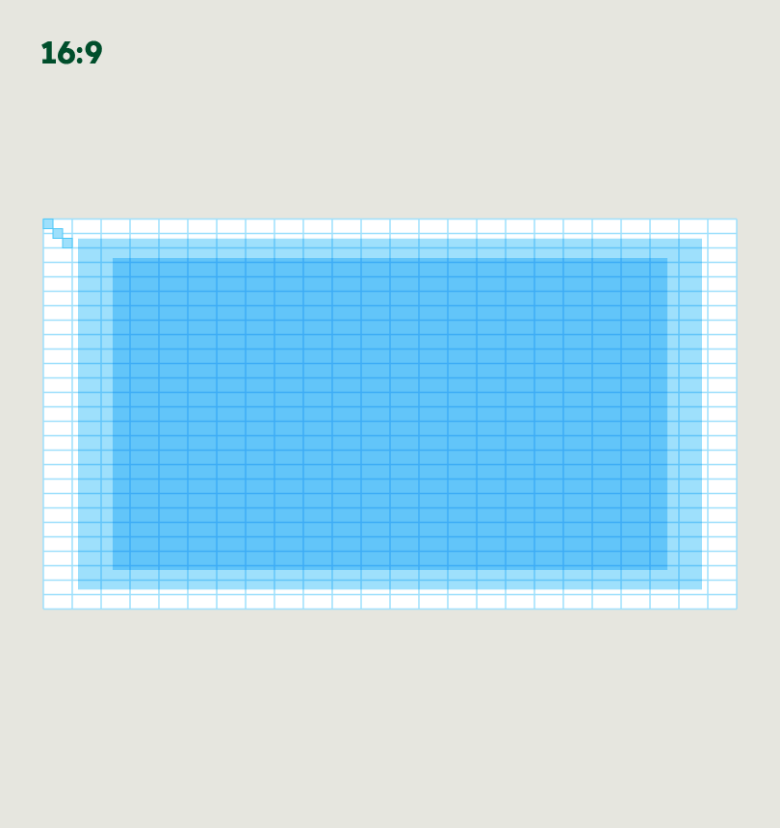

24 colums (1 column = 3 building blocks)
27 lines (2 lines = 3 building blocks)
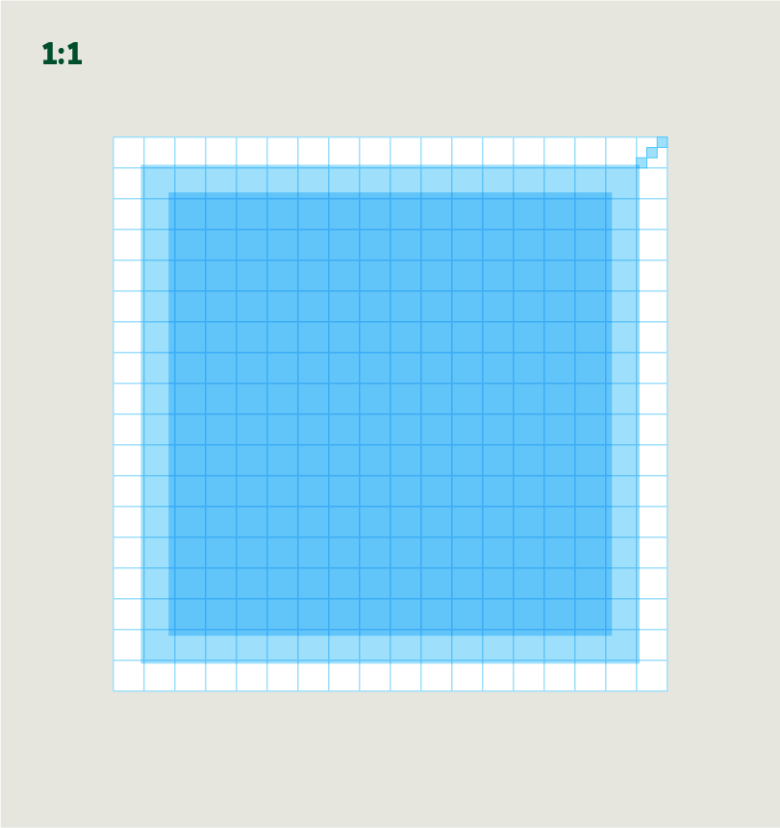

24 columns (1 colums = 3 building blocks)
24 lines (1 line = 3 building blocks)
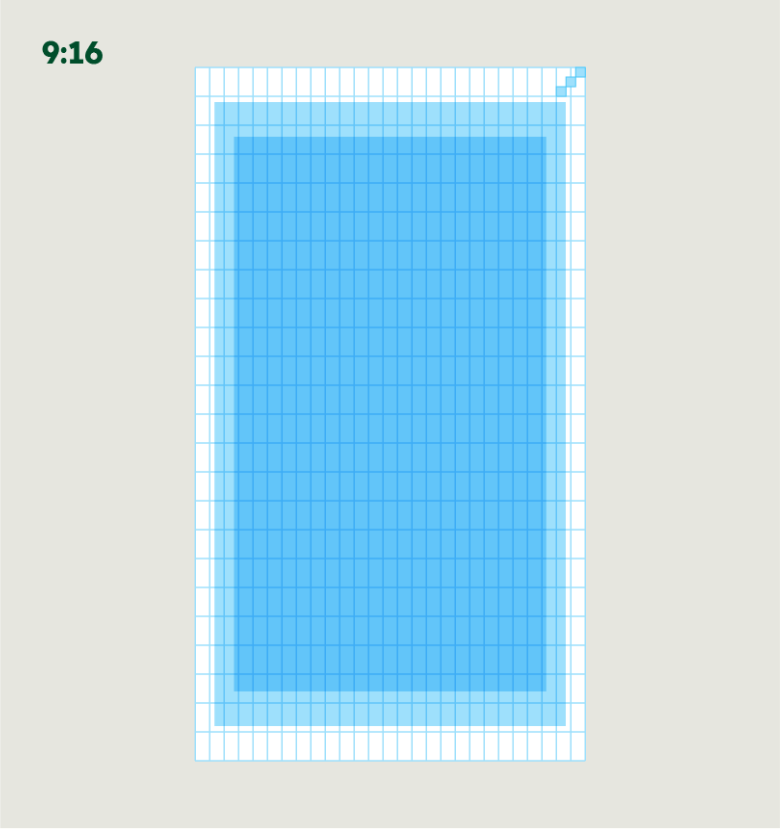

27 columns (2 columns = 3 building blocks)
24 lines (1 line = 3 building blocks)
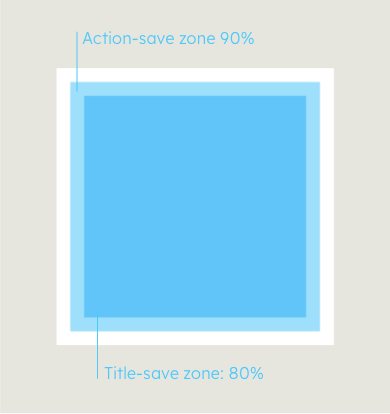

If you adhere to the action-safe zone and the title-safe zone when creating your videos, you can be sure that the important information will be visible even in cropped presentations.
Templates for many basic animation sequences are available in three formats. You can find them at the download section below.
Logo intro and outro
The intro and outro sequences identify Heidelberg Materials as the author of our films and and establish a connection between the logo and the video content. The Download section contains mov data files in 16:9 with a mask that allows you to include the video in your footage. There are no templates for this.
Logo intro
Logo outro
CTA
Please note: It’s easy to create a closer from the short social media opener – just play it backwards.
Corner Logo
A corner logo that consistently identifies Heidelberg Materials as the sender may be used. The corner logo is used within the action-safe zone aligned with the grid on the upper-right edge. There are three colour options for the corner logo for dark and bright backgrounds or subtle branding, respectively. Corresponding templates are available in the usual formats.
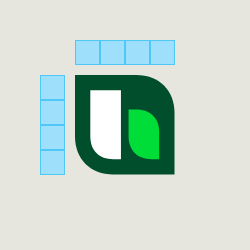

The size of the corner logo is 4 building blocks.
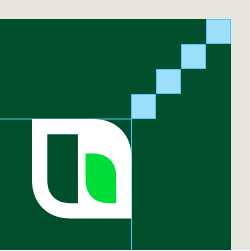

The logo icon is always right-alined at the right top corner with a margin of 4 building blocks.


Three option for corner logos:
white for dark footage,
green for bright footage, and white transparent logo for subtle branding.
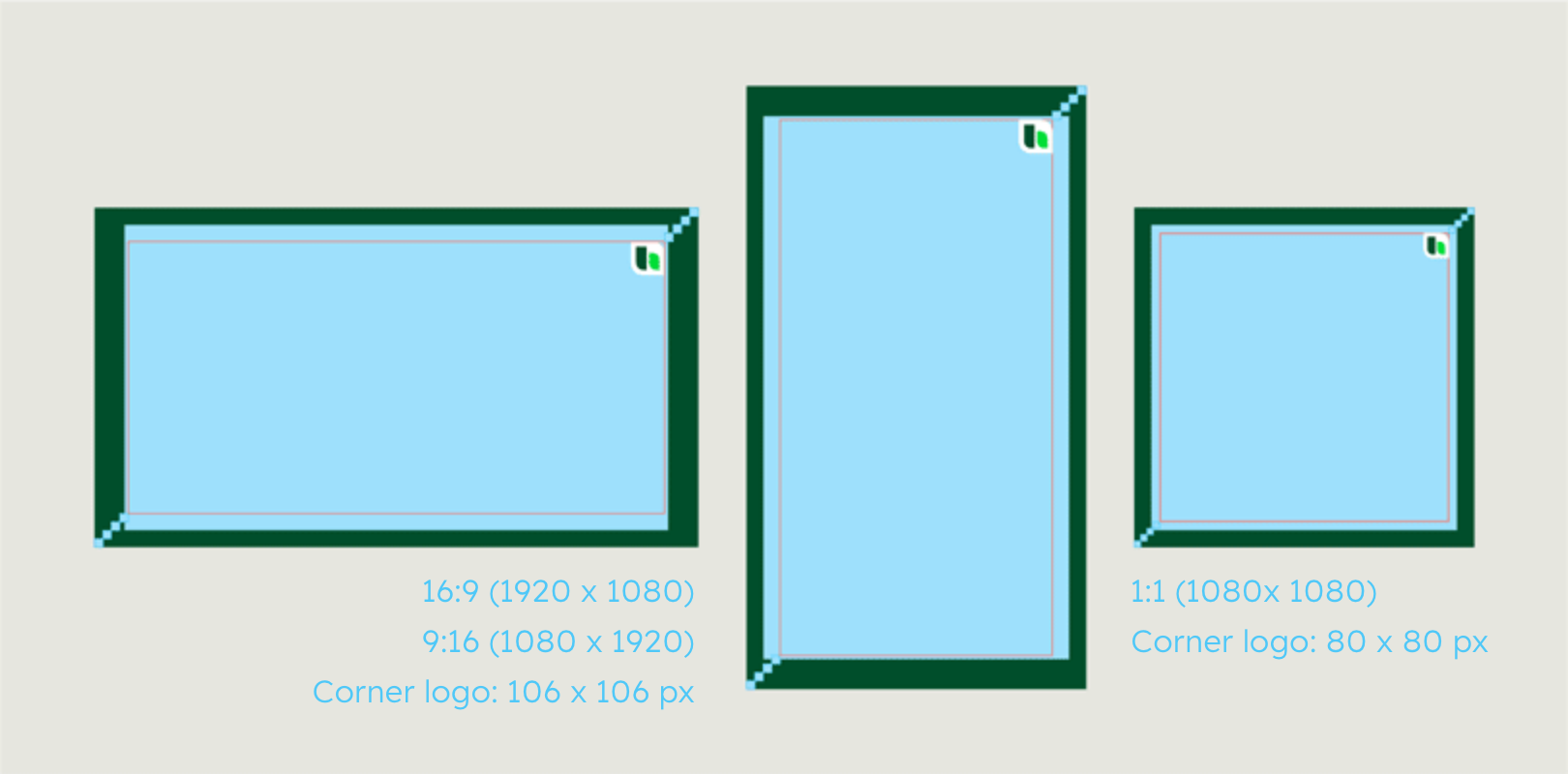

The border of 4 building blocks keeps the corner logo positioned in the action-save zone.
Use for social media and apps
The corner logo is to be used for applications where there is no profile picture or sender identification available, or for video material that is likely to be widely shared externally due to a greater public interest.
On many online platforms, the sender's logo is automatically displayed as an avatar or profile picture. Therefore, it is not strictly necessary to use the Heidelberg Materials corner logo in these cases.


Titles and transitions
Titles and transitions – Shapes and text template
Depending on the content of the film, the transitions can be designed in either the Inform or the Inspire layout. The animation of backgrounds, shapes and texts should always follow the defined basic principles in order to create a consistent visuality and to ensure the brand’s recognisability. The templates provided already contain a number of pre-animated styles and help to fulfil these conditions.
Overview "Inform" styles
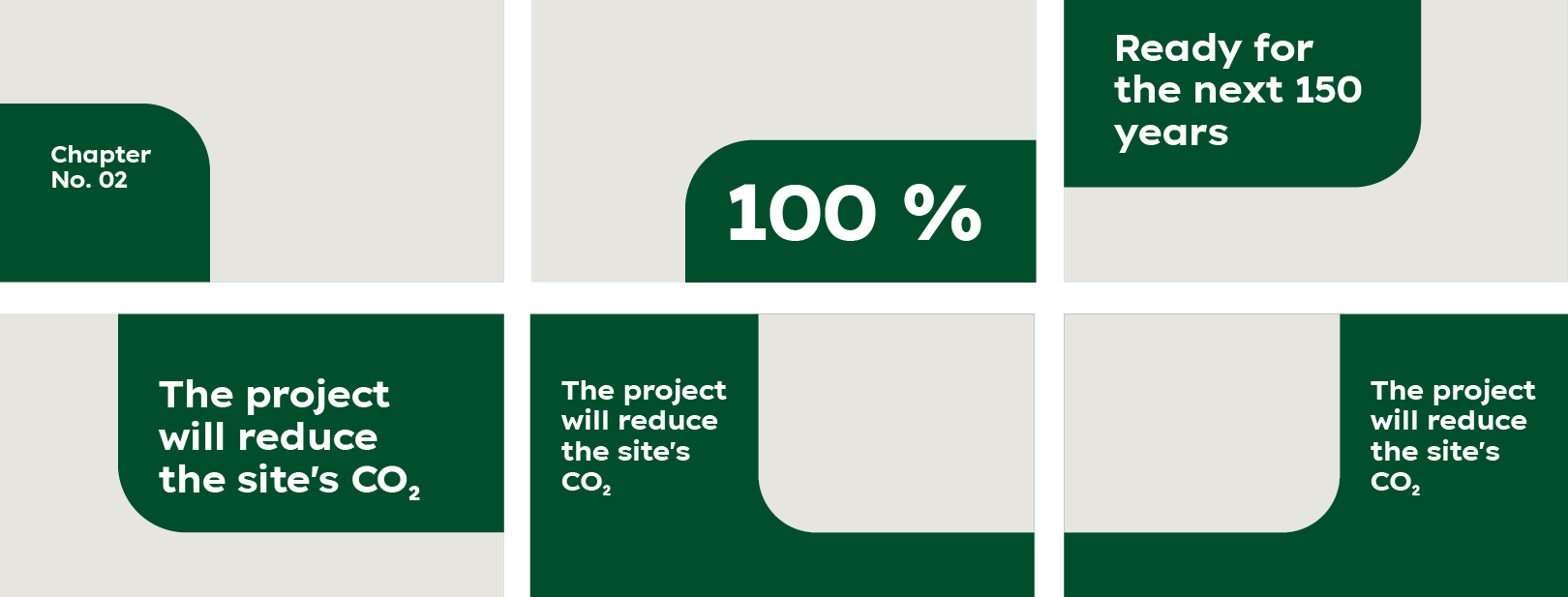

Inform styles options: edit headline, headline font-size, programmed animation for elements entering and exiting.
Overview "Inspire" styles
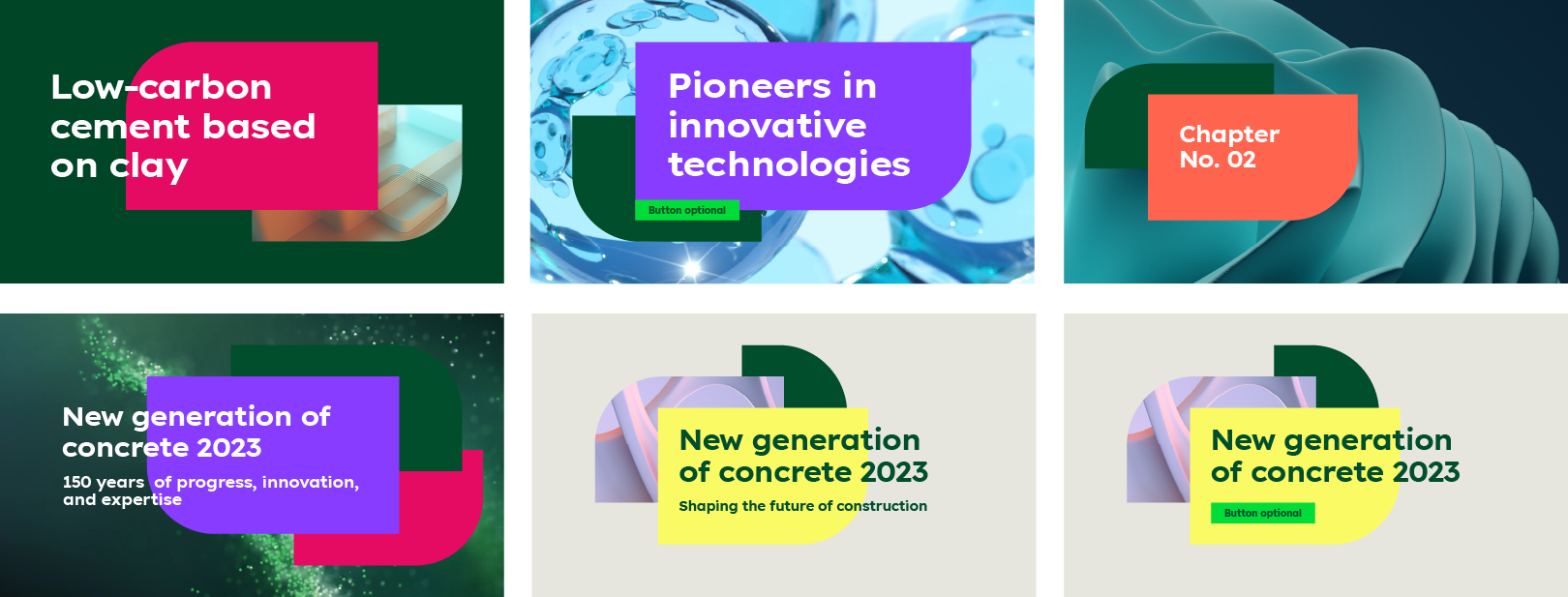

Inspire styles options: edit headline, headline font-size customisable, subline option (in 2 styles), button option (in 3 styles), change colours and shape footage, programmed animation for elements entering and exiting
Inspire styles options: edit headline, headline font-size customisable, subline option (in 2 styles), button option (in 3 styles), change colours and shape footage, programmed animation for elements entering and exiting.
Lower-third animation
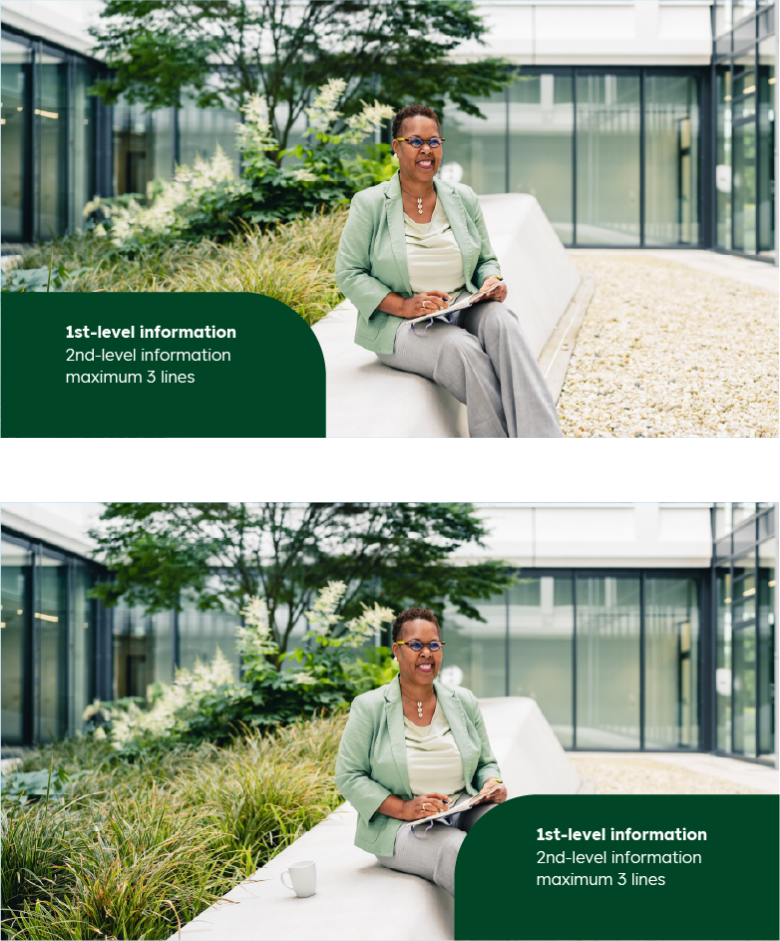
Lower-thirds are used to add information to video material. Typically, they display the name and expertise of a person or information about the location, as well as data and numbers. For Heidelberg, there are two types of lower-thirds – Inform and Inspire –, which can be placed on the left or right bottom depending on the content. The shapes may contain different colours and amounts of text, so the length is variable. However, care should be taken to keep the amount of text as small as possible to ensure readability for the viewer. The use of templates is absolutely necessary to ensure consistent design, animation and positioning of the lower-thirds.
additional: Inform and Inspire
"Inform" lower-third animation

"Inspire" lower-third animation
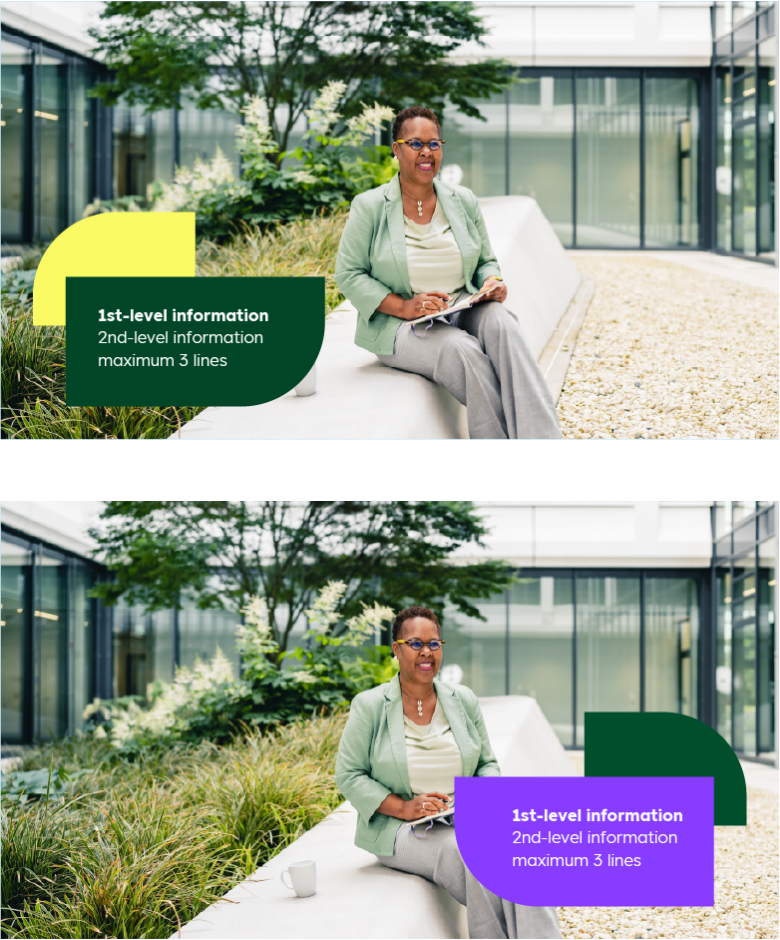

The length and height of the shapes automatically adjust to the amount of text. Depending on the footage requirements, shapes may be placed left or right. In "Inspire" layouts, different colours may be chosen for the shape.
Speaker subtitle
Subtitles are used to improve the communication and comprehensibility of videos and to ensure that the content is accessible to a wider audience. They serve to explain, emphasise, translate or support when audio playback is not possible.
Call to action
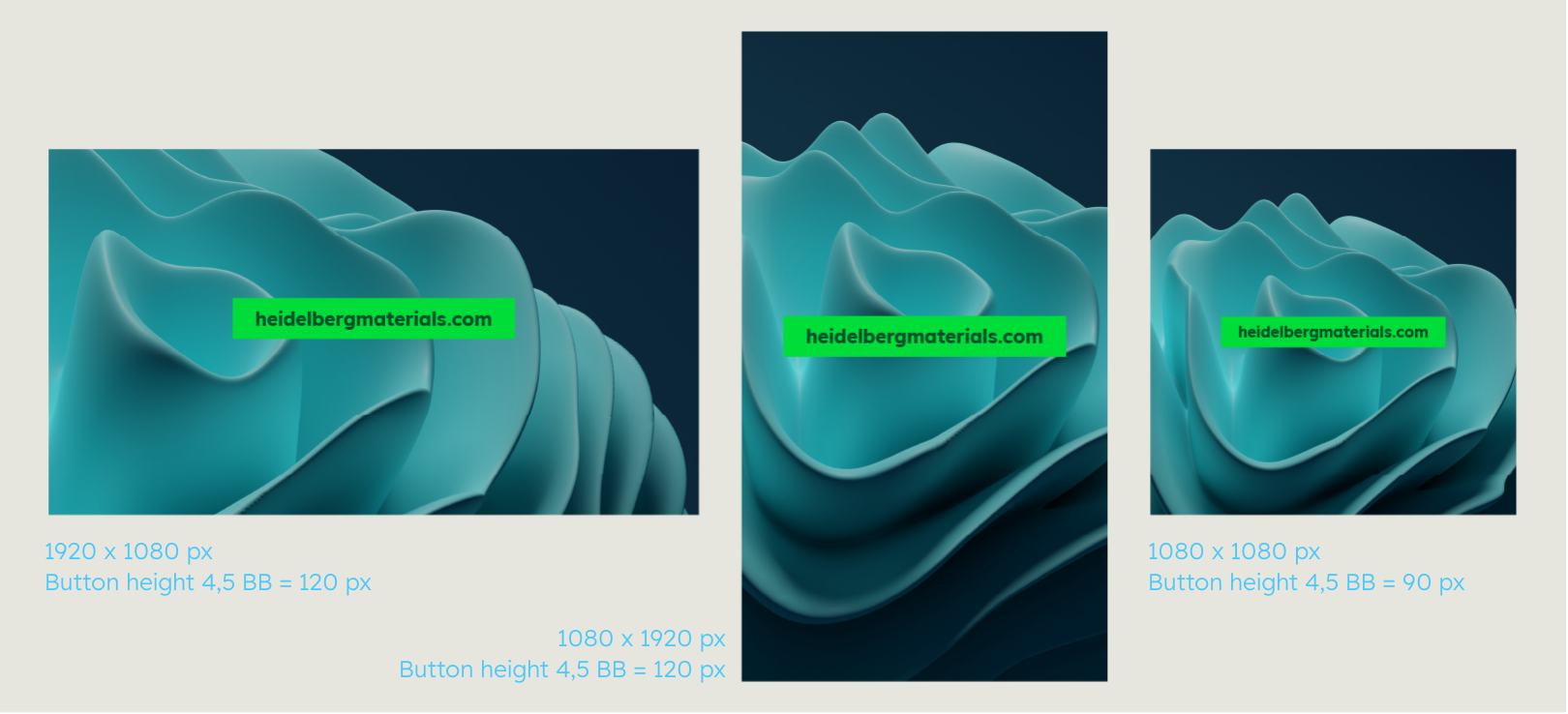

If the call to action is displayed as the sole element on footage, it is enlarged in the motion design. The corresponding values for the different formats are shown in the pictures above. Call to action within videos are not actual buttons; rather, the entire video serves as a link. Please use the templates provided to animate coherent calls to action.
Icons in motion
Icons can be animated in various ways or integrated into the content. However, the basic design impression must not be impaired by effects.
Example: stroke animation of an icon
Example: animated icon on shape
Dos and don'ts
Icons can be animated in various ways or integrated into the content. However, the basic design impression must not be impaired by effects.
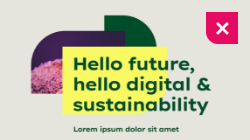

The font size is too large for the amount of text, the subline is too low.


The shadow, which is supposed to increase the legibility of the text, creates a look of its own that is not desired. Make sure to only use large, soft shadows.
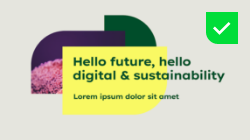

The templates allow for the font size to be set individually, but appropriate proportions of text volume and font size should be chosen.


Footage and stock material should meet the design parameters set out in the Imagery chapter, e.g. with regard to exposure and saturation.


Do not use any text effects other than the ones provided for in the guideline.


The animation of icons must always be appropriate to the form and content
Dos and don'ts
Template tutorial
Downloads
Important Note Regarding Login
Due to the transition to our new website, all users must
set a new password the first time they log in.
To do so, please use the “Forgot Password” feature and
follow the instructions.
Thank you for your understanding.
Videos
Important Note Regarding Login
Due to the transition to our new website, all users must
set a new password the first time they log in.
To do so, please use the “Forgot Password” feature and
follow the instructions.
Thank you for your understanding.
Templates
Important Note Regarding Login
Due to the transition to our new website, all users must
set a new password the first time they log in.
To do so, please use the “Forgot Password” feature and
follow the instructions.
Thank you for your understanding.
Contact
Any questions about our guidelines?
Contact us.
- N Support
- T + 49 211 690787-200
- E support@Brandhub.heidelbergmaterials.com
Social Media opener and closer
Social media opener and closer
To meet the specific requirements on various social media platforms, a shortened version of the logo intro is available in 1:1 and 9:16 formats. The social media opener is available as a template under Downloads. The closer is not available as a template - the opener simply has to be played backwards to get it.