Graphs
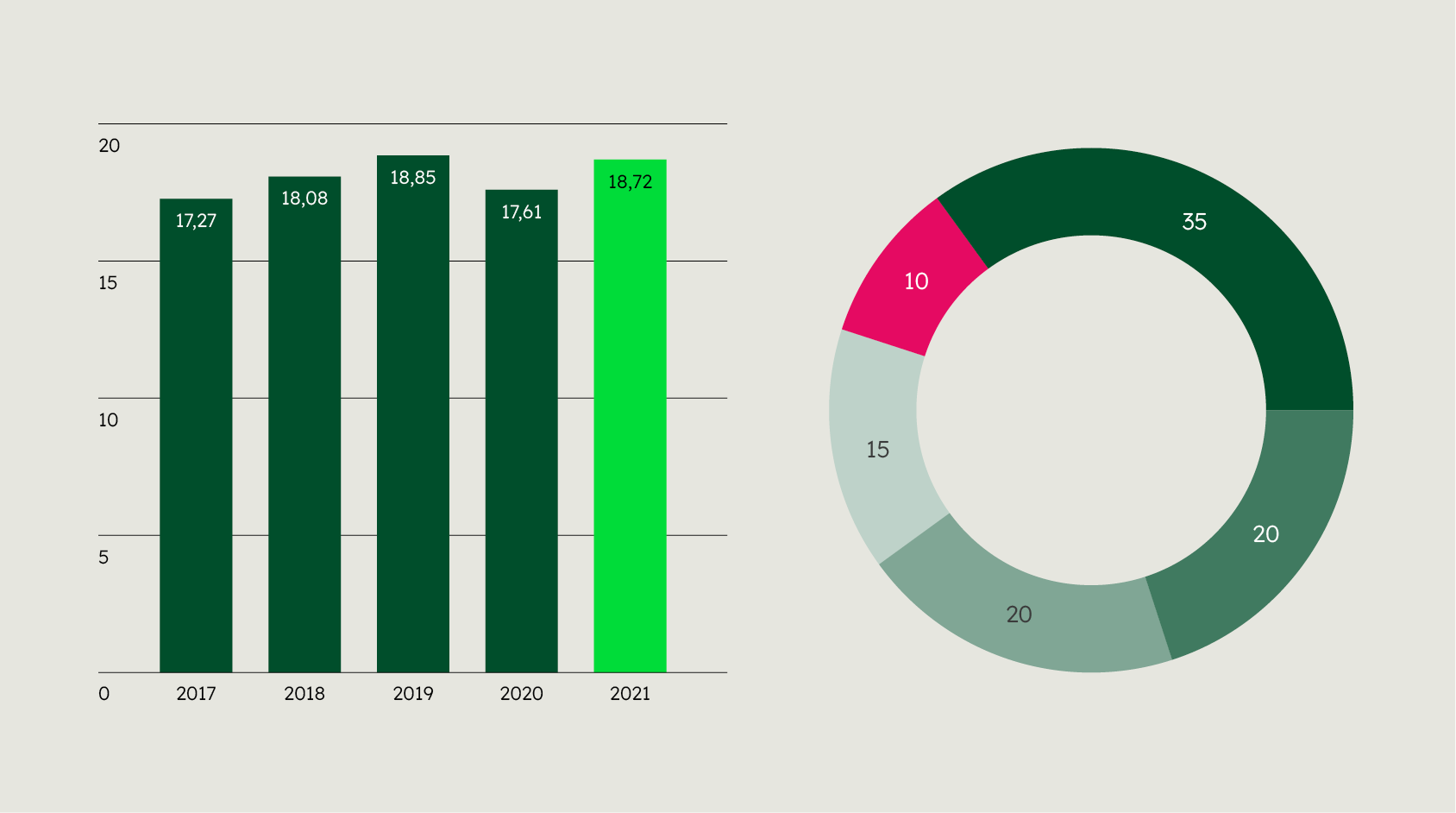

Graphs help to make complex information accessible and to present it in a relatable way.
Due to their functional character, even multicoloured graphs may be used equally in both design field 1 and design field 2.
Chart types
Choose the chart type that best fits your purpose. Here are some chart types for inspiration.
Bar chart light
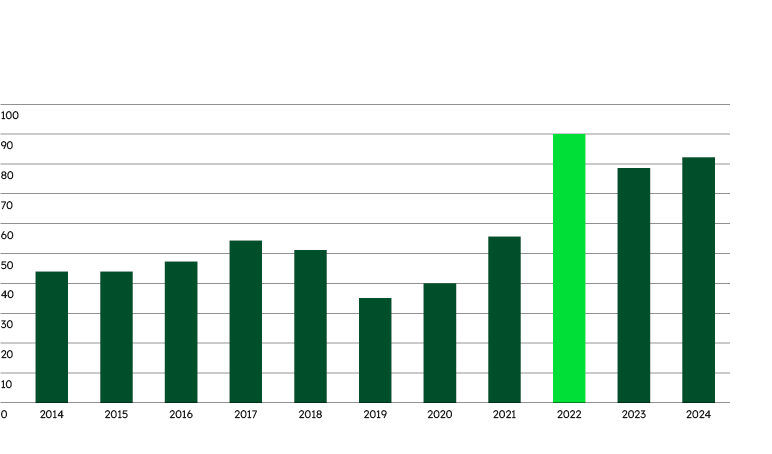

Bar chart bold

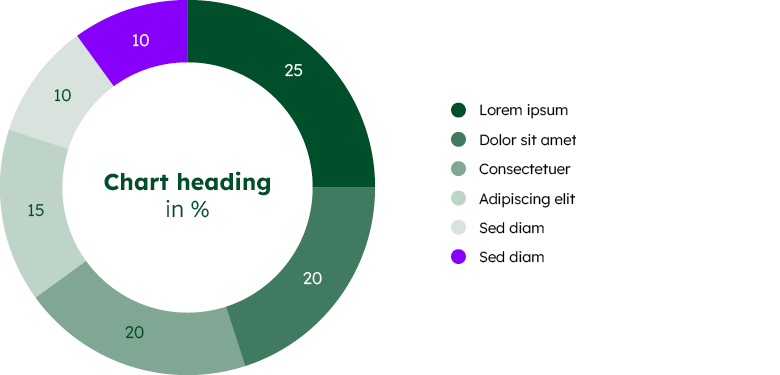
Donut chart
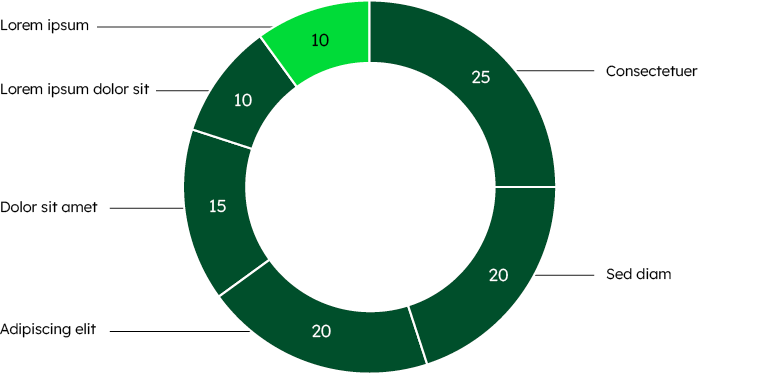

Donut chart with legend

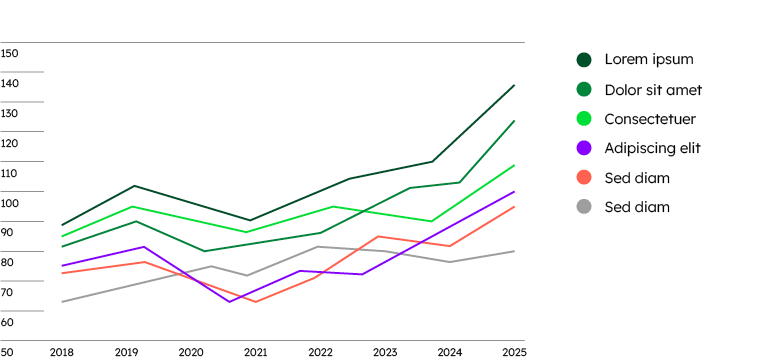
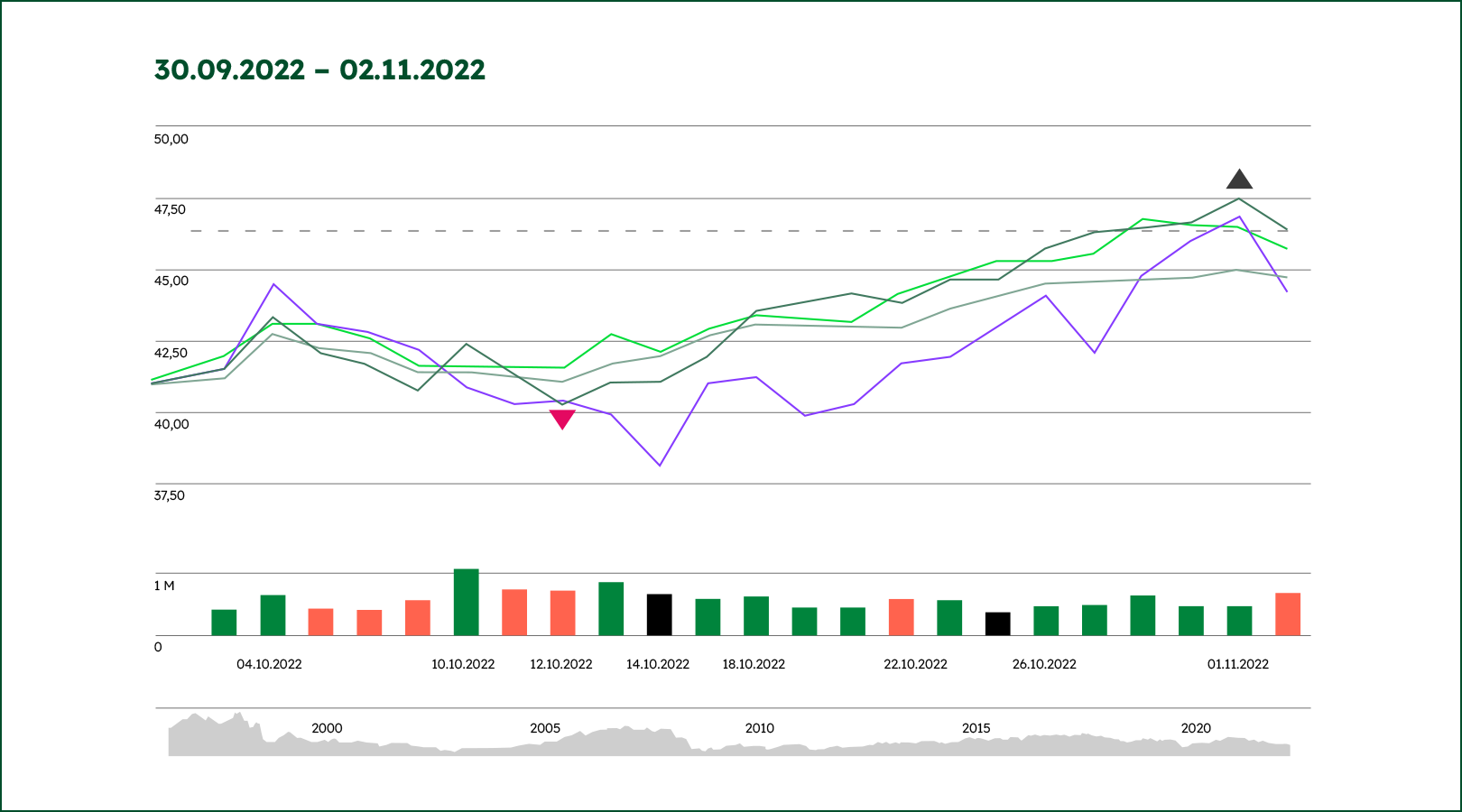
Line chart

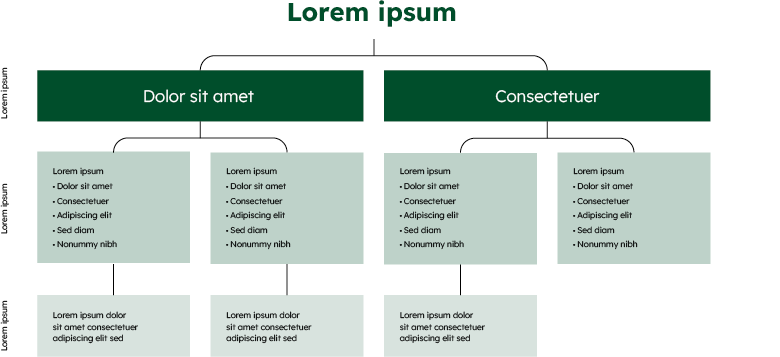
Organisational chart

Colouring
Our graphs are primarily kept in Deep Green and shown on a white background. For more complex graphs, we use shades of Deep Green and Dark Grey. Use the colours as recommended and in the order shown. The charts shown are examples and can be applied to other chart types as well.
Colour shades
Colour shades
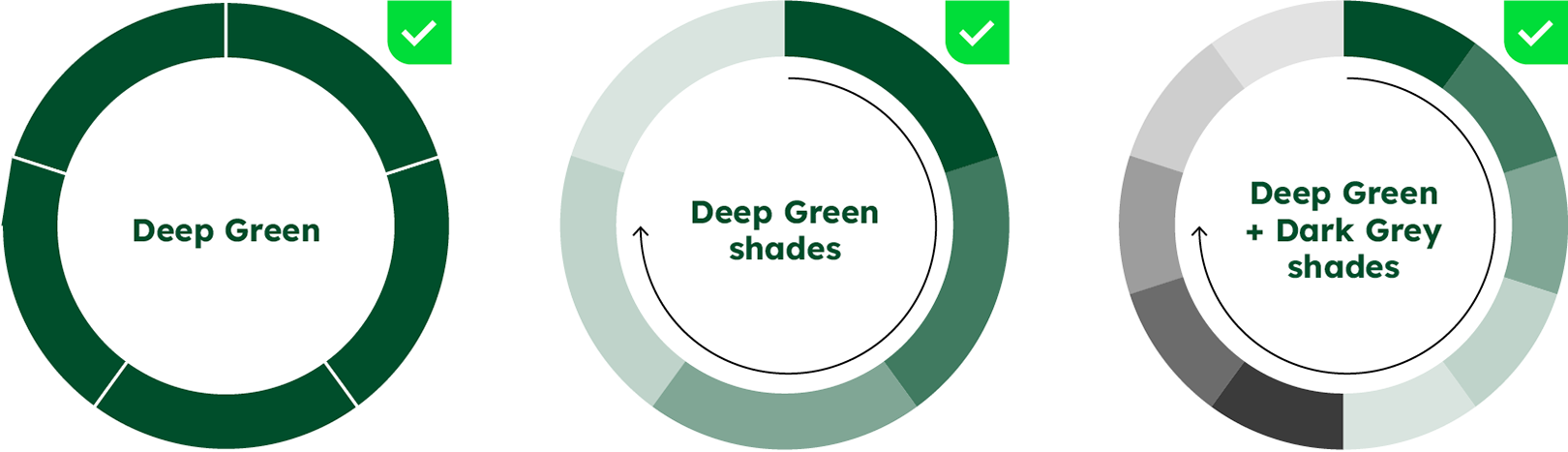
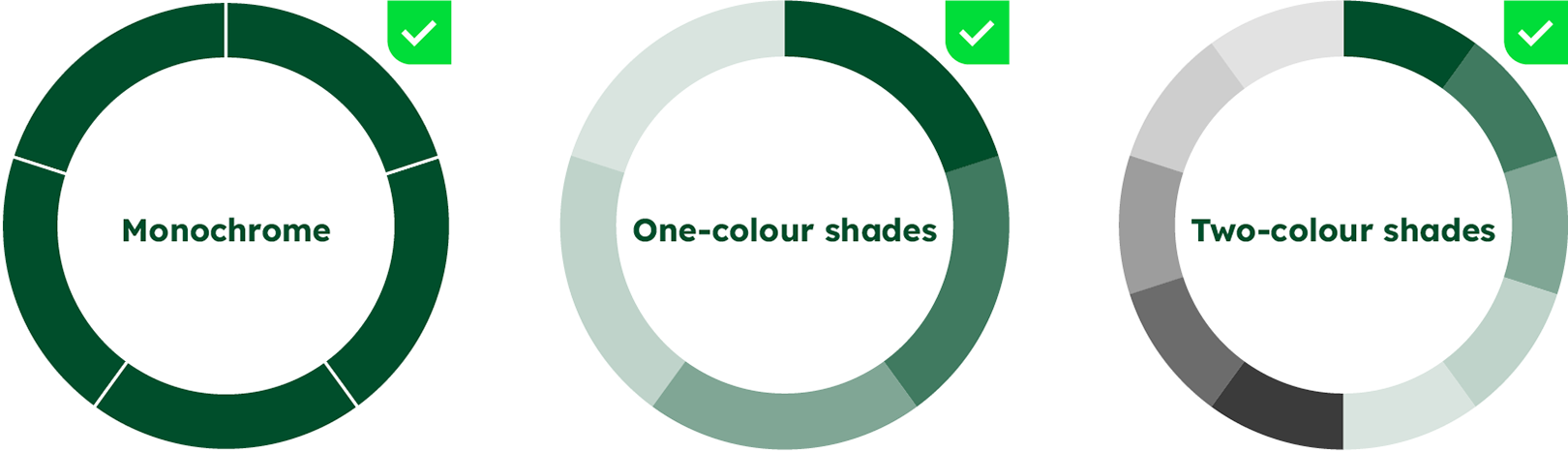
Monochrome
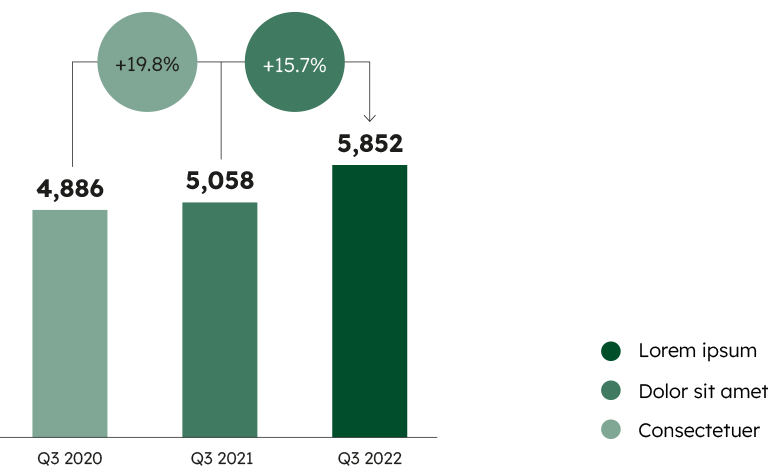
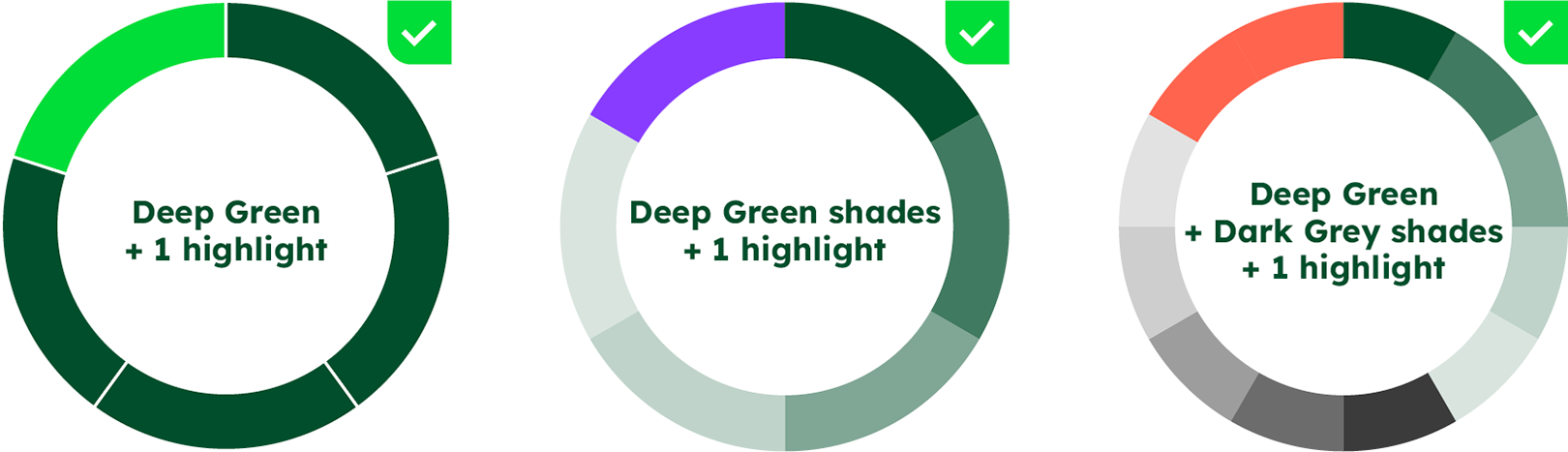
For basic charts, use Deep Green. Use enough spacing or contour lines to separate different segments in the same colour.
One-colour shades
Use the Deep Green shades for relationship charts and trend charts. The shades start with Deep Green 100%, generally denoting the largest value.
Two-colour shades
Deep Green shades can be supplemented with Dark Grey shades if more than 5 sequential positions need to be displayed.

Colour highlighting
Colour highlighting
To highlight a position in a monochrome chart, use Bright Green. In charts that use shades, an inspiring colour should be chosen for highlighting, as it will stand out more in this context.

Colour values for tints
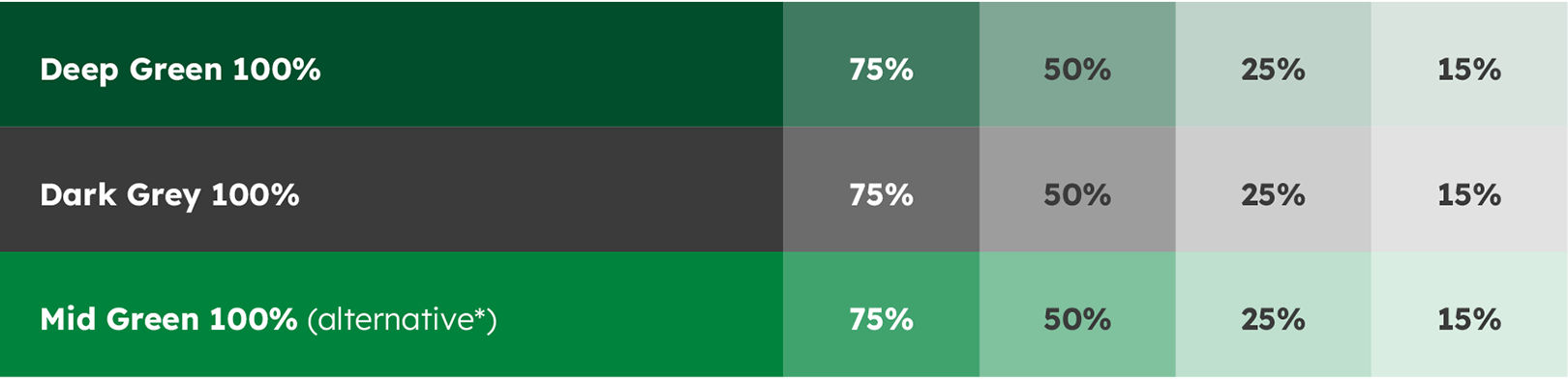

*Mid Green may be used as an alternative to Deep Green if the chart is placed on a Deep Green background. Scroll down for examples.
Tints
Deep Green


Deep Green 100%
HEX: #004E2B
RGB: 0 | 78 | 43
CMYK: 77 | 0 | 72 | 70


Deep Green 75%
HEX: #407A60
RGB: 64 | 122 | 96
CMYK: 58 | 0 | 54 | 52


Deep Green 50%
HEX: #80A695
RGB: 128 | 166 | 149
CMYK: 38 | 0 | 36 | 35


Deep Green 25%
HEX: #BFD3CA
RGB: 191 | 211 | 202
CMYK: 19 | 0 | 18 | 17


Deep Green 15%
HEX: #D9E4DF
RGB: 217 | 228 | 223
CMYK: 12 | 0 | 11 | 10
Dark Grey


Dark Grey 100%
HEX: #3B3B3B
RGB: 59 | 59 | 59
CMYK: 0 | 0 | 0 | 80


Dark Grey 75%
HEX: #6C6C6C
RGB: 108 | 108 | 108
CMYK: 0 | 0 | 0 | 60


Dark Grey 50%
HEX: #9D9D9D
RGB: 157 | 157 | 157
CMYK: 0 | 0 | 0 | 40


Dark Grey 25%
HEX: #CECECE
RGB: 206 | 206 | 206
CMYK: 0 | 0 | 0 | 20


Dark Grey 15%
HEX: #E2E2E2
RGB: 226 | 226 | 226
CMYK: 0 | 0 | 0 | 12
Mid Green


Mid Green 100%
HEX: #00843D
RGB: 0 | 132 | 61
CMYK: 90 | 0 | 100 | 10


Mid Green 75%
HEX: #40A36E
RGB: 64 | 163 | 110
CMYK: 67 | 0 | 75 | 8


Mid Green 50%
HEX: #80C19E
RGB: 128 | 193 | 158
CMYK: 45 | 0 | 50 | 5


Mid Green 25%
HEX: #BFE0CE
RGB: 191 | 224 | 206
CMYK: 22 | 0 | 25 | 3


Mid Green 15%
HEX: #D9EDE2
RGB: 217 | 237 | 226
CMYK: 13 | 0 | 15 | 2
Colour values for highlighting


Bright Green 100%
HEX: #00DD39
RGB: 0 | 221 | 57
CMYK: 68 | 0 | 98 | 0


Spark Yellow 100%
HEX: #FAFA64
RGB: 250 | 250 | 100
CMYK: 10 | 0 | 75 | 0


Warm Orange 100%
HEX: #FF644E
RGB: 255 | 100 | 78
CMYK: 0 | 70 | 60 | 0


Punchy Red 100%
HEX: #E50A62
RGB: 229 | 10 | 98
CMYK: 0 | 100 | 30 | 0


Vibrant Purple 100%
HEX: #873CFF
RGB: 135 | 60 | 255
CMYK: 60 | 65 | 0 | 0
Colour categorisation (exceptional case)
Colour categorisation (exceptional case)
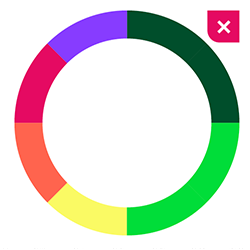
For complex diagrams where you need to distinguish discrete categories of data, you may use the inspiring colour palette for a clearer differentiation. Still, the main category should always be shown in Deep Green. Colour categorisation should only be used on a white background. Make sure that the infochart offers sufficient colour contrast.
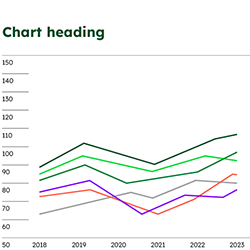

In particularly delicate graphs, the entire extended colour palette can be used to distinguish best between the data.
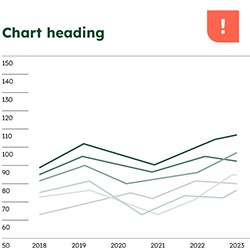


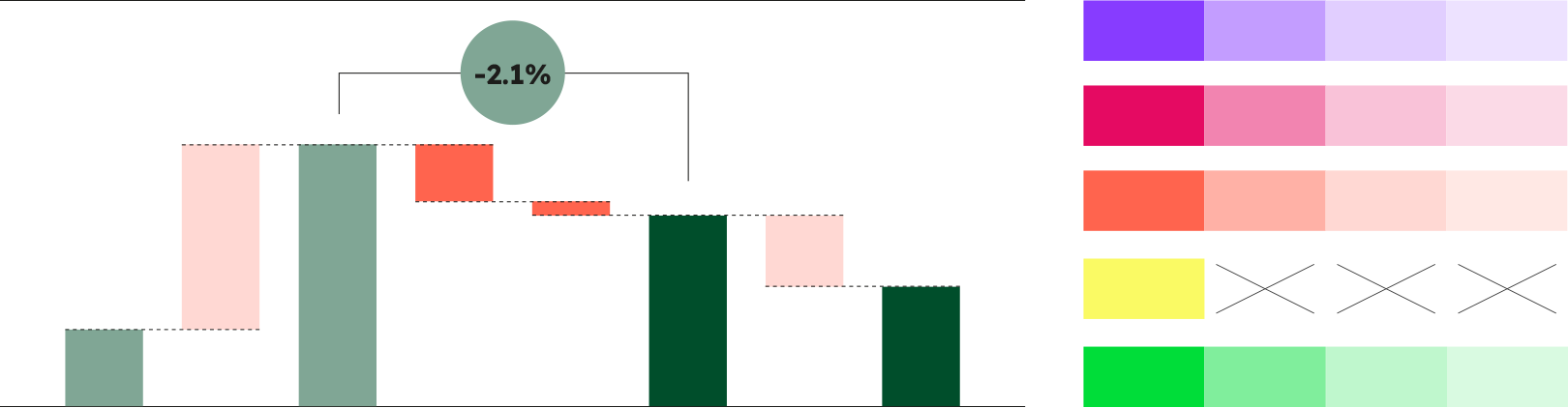

To differentiate data within a colour category, shades of inspiring colours may be used. This should only be done for complex charts that allow for no other way of differentiation.
Colour values for tints
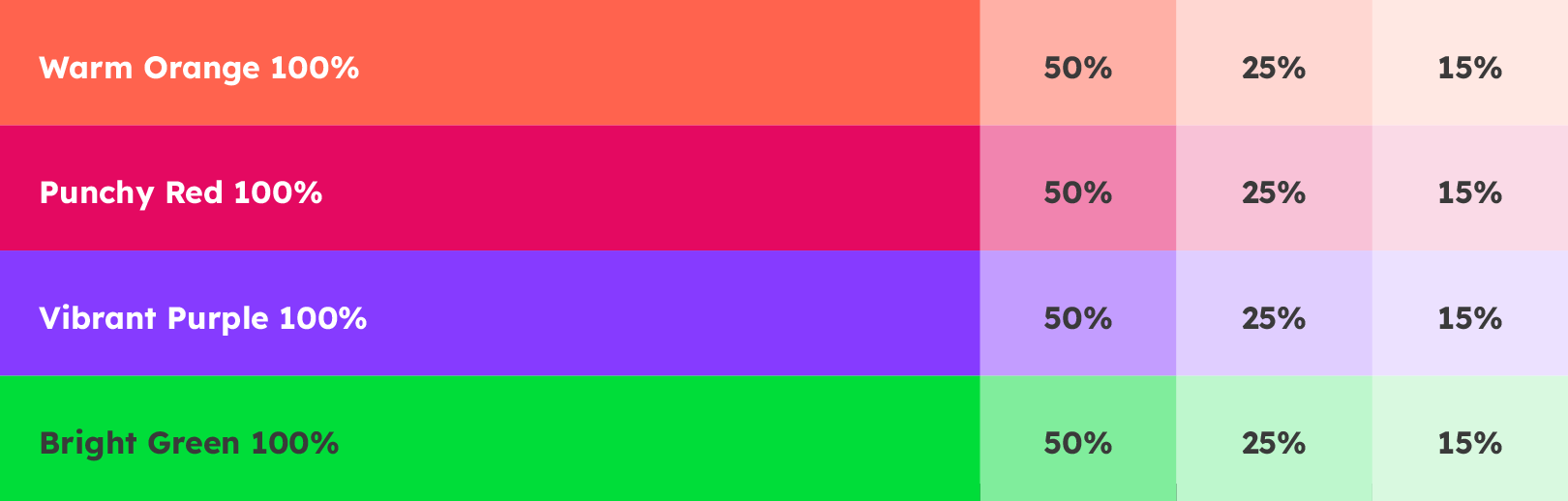

Warm Orange

Warm Orange 100%
HEX: #FF644E
RGB: 255 | 100 | 78
CMYK: 0 | 70 | 60 | 0


Warm Orange 50%
HEX: #FFB1A6
RGB 255 | 177 | 166
CMYK: 0 | 41 | 29 | 0


Warm Orange 25%
HEX: #FFD8D3
RGB 255 | 216 | 211
CMYK: 0 | 22 | 14 | 0


Warm Orange 15%
HEX: #FFE8E4
RGB 255 | 232 | 228
CMYK: 0 | 13 | 9 | 0
Punchy Red

Punchy Red 100%
HEX: #E50A62
RGB: 229 | 10 | 98
CMYK: 0 | 100 | 30 | 0


Punchy Red 50%
HEX: #F284B0
RGB 242 | 132 | 176
CMYK: 0 | 62 | 4 | 0


Punchy Red 25%
HEX: #F9C2D8
RGB 249 | 194 | 216
CMYK: 0 | 33 | 2 | 0


Punchy Red 15%
HEX: #FBDAE7
RGB 251 | 218 | 231
CMYK: 0 | 21 | 2 | 0
Vibrant Purple

Vibrant Purple 100%
HEX: #873CFF
RGB: 135 | 60 | 255
CMYK: 60 | 65 | 0 | 0


Vibrant Purple 50%
HEX: #C39DFF
RGB 195 | 157 | 255
CMYK: 35 | 42 | 0 | 0


Vibrant Purple 25%
HEX: #E1CEFF
RGB 225 | 206 | 255
CMYK: 15 | 22 | 0 | 0


Vibrant Purple 15%
HEX: #EDE2FF
RGB 237 | 226 | 255
CMYK: 8 | 14 | 0 | 0
Bright Green

Bright Green 100%
HEX: #00DD39
RGB: 0 | 221 | 57
CMYK: 68 | 0 | 98 | 0


Bright Green 50%
HEX: #80EE9C
RGB 128 | 238 | 156
CMYK: 49 | 0 | 54 | 0


Bright Green 25%
HEX: #BFF7CD
RGB 191 | 247 | 205
CMYK: 29 | 0 | 29 | 0


Bright Green 15%
HEX: #D9FAE1
RGB 217 | 250 | 225
CMYK: 18 | 0 | 18 | 0
Backgrounds
Our graphs should generally be presented on a white background. If necessary, they may be shown on a Sandy Grey or Deep Green background. Please note that some colour shades are not suitable for combination with backgrounds (see below).
White background

Sandy Grey background
Sandy Grey background
As an additional option for layouts, graphs can be presented on a Sandy Grey background. To ensure sufficient colour contrast, Deep Green 15% and Dark Grey 15% are to be avoided in this case.
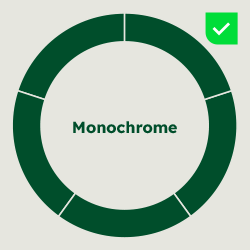

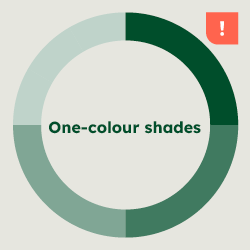

Do not use Deep Green 15%
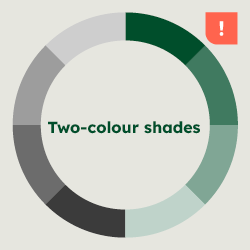

+ Dark Grey shades
Do not use Deep Green 15%
Do not use Dark Grey 15%
Deep Green background
Deep Green background
For eye-catching presentations, graphs can be placed on a Deep Green background. If you use colour shades, exchange the Deep Green shades with Mid Green shades in this case. Also, Dark Grey 100% is to be avoided. In general, complex charts are not recommended on a Deep Green background.
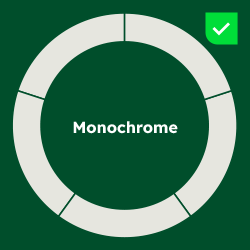

Do not use Deep Green
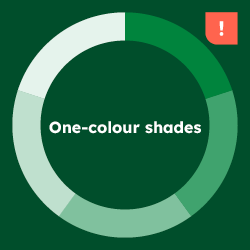

Do not use Deep Green shades
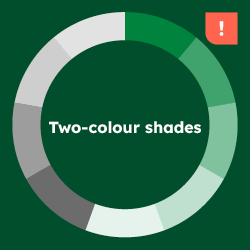

+ Dark Grey shades
Do not use Deep Green shades
Do not use Dark Grey 100%
Colour values for backgrounds
Colour values for backgrounds


White
HEX: #FFFFFF
RGB: 255 | 255 | 255
CMYK: 0 | 0 | 0 | 0


Sandy Grey
HEX: #E6E6DF
RGB: 230 | 230 | 223
CMYK: 0 | 0 | 5 | 10

Deep Green
HEX: #004E2B
RGB: 0 | 78 | 43
CMYK: 77 | 0 | 72 | 70
Style
Even though every chart is constructed differently, they should all follow the same basic style.
Text and lines
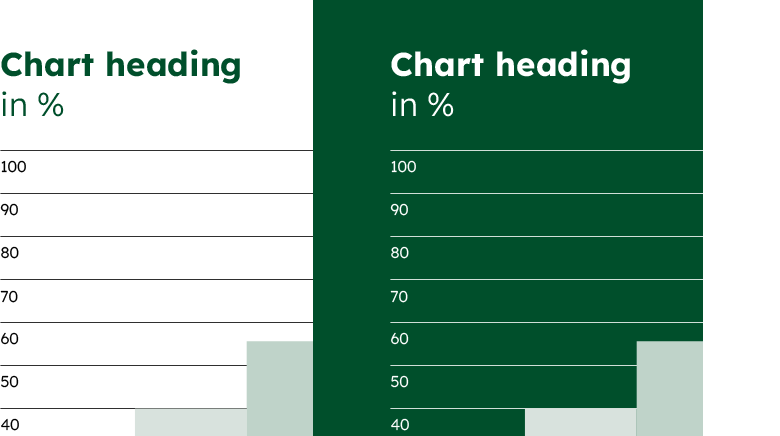

Even though every chart is constructed differently, they should all have the same styling basics. Chart headings are written in Deep Green. Copy and numbers are kept in Black or Dark Grey. We use solid lines in Black for highest visibility while appearing discreet. On Deep Green background, text and lines become White.
Text on colour
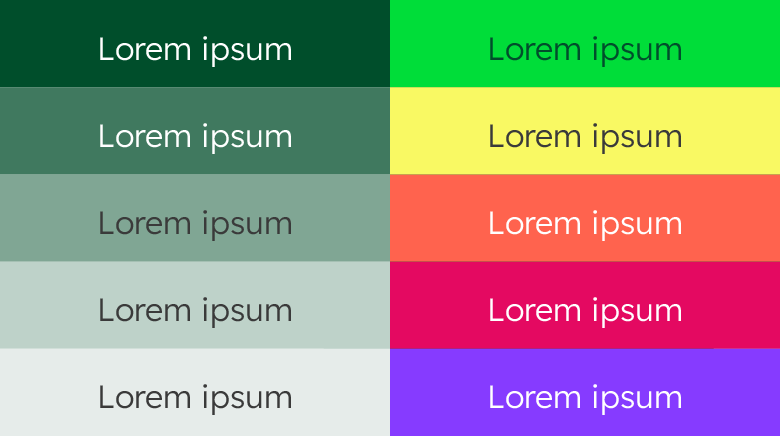

When labelling positions, use White text on 100% and 75% shades and Dark Grey text on lighter shades and Spark Yellow.
Spacing
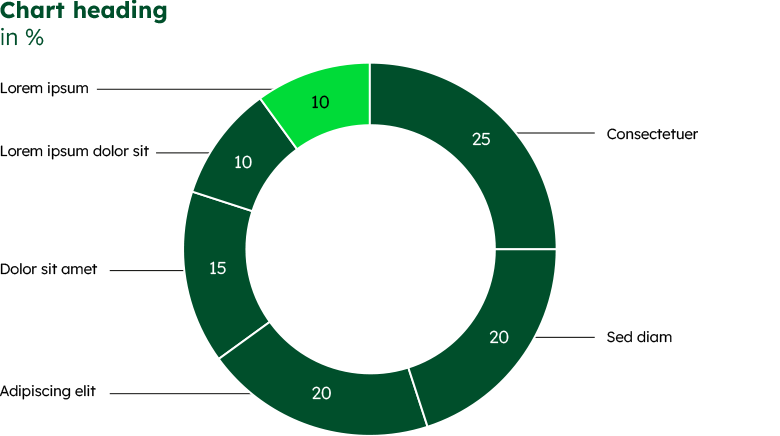

Use enough spacing or contour lines when positions in the same colour are shown next to each other. Make sure to use equal line widths for the respective elements within a layout.
Legend
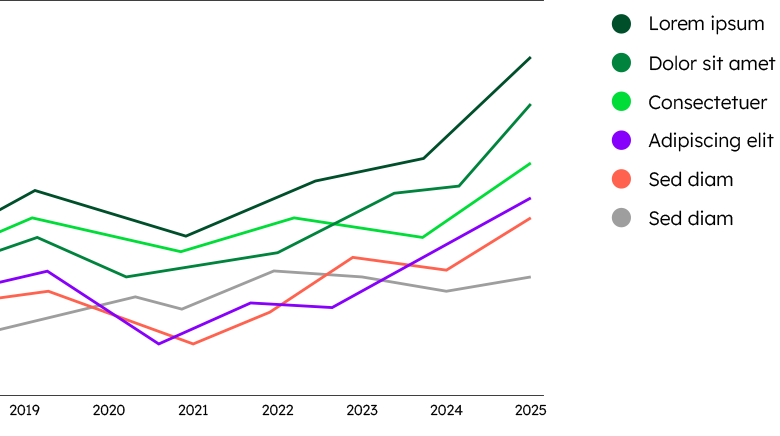

Legends are placed next to the diagram or underneath. For the colour explanation, use circles in the same size as the font size of the
description text. The circle size can also be used to ensure a consistent spacing between individual legend items.
Don’ts
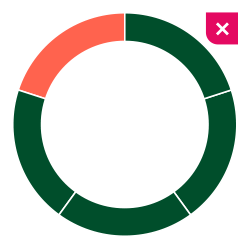

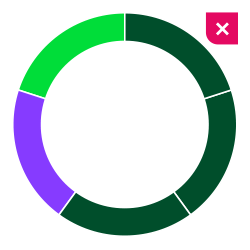

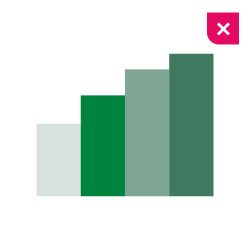

Do not combine Deep Green and Mid Green shades.
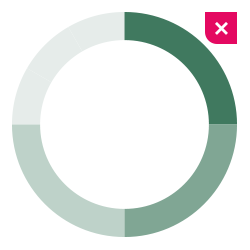

Always start a sequence with Deep Green 100%.
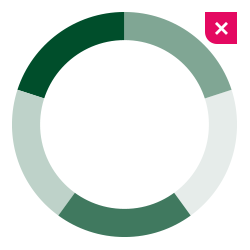

Use shades in order of increasing brightness.
Graphs in use
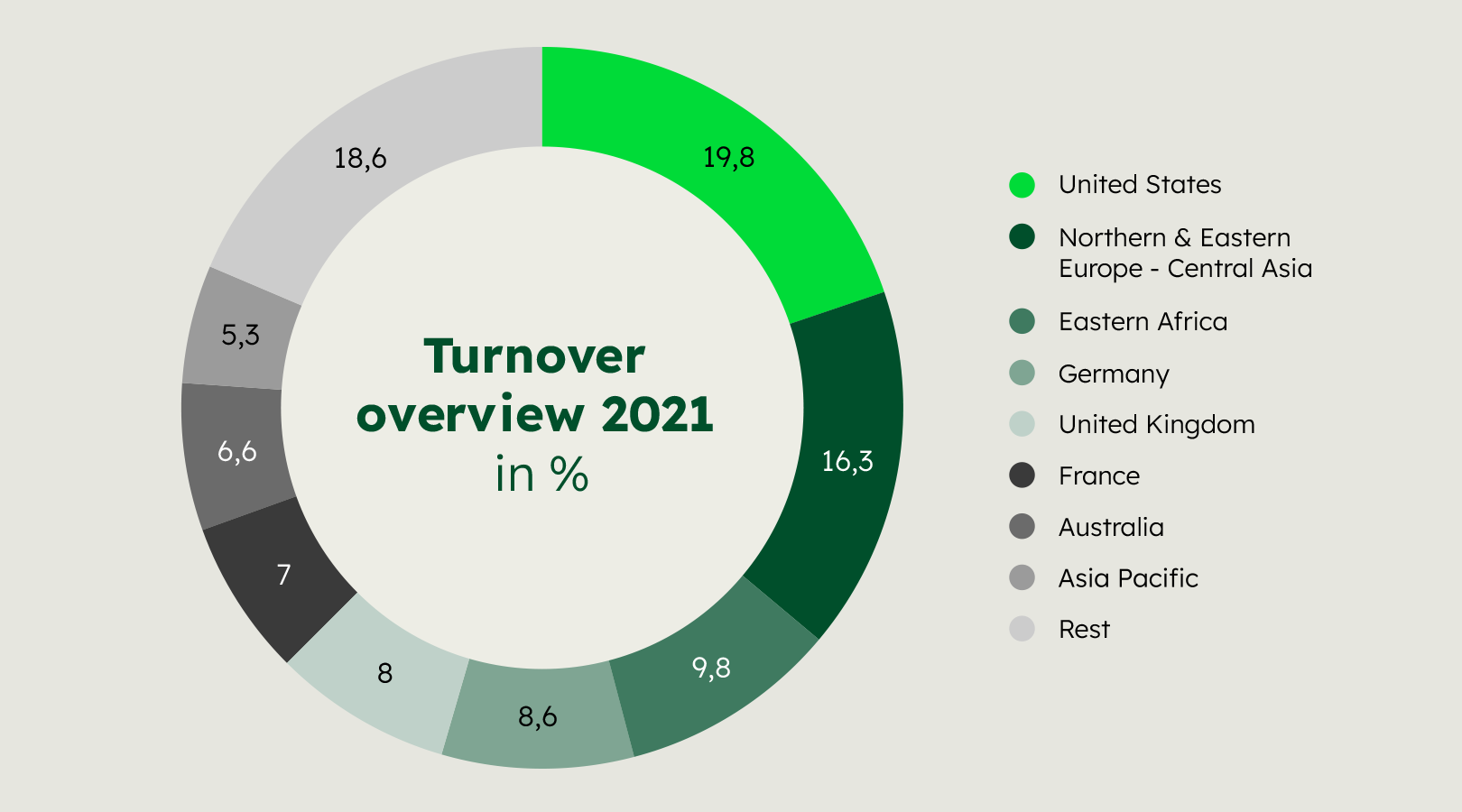


Any questions about our guidelines? Contact us.
- N Support
- T + 49 211 690787-200
- E support@Brandhub.heidelbergmaterials.com